Features

Everything you do with a PDF.

Every screenshot is the real PDF proxy window. Each change can be undone, and the original is not touched until you save.

Edit

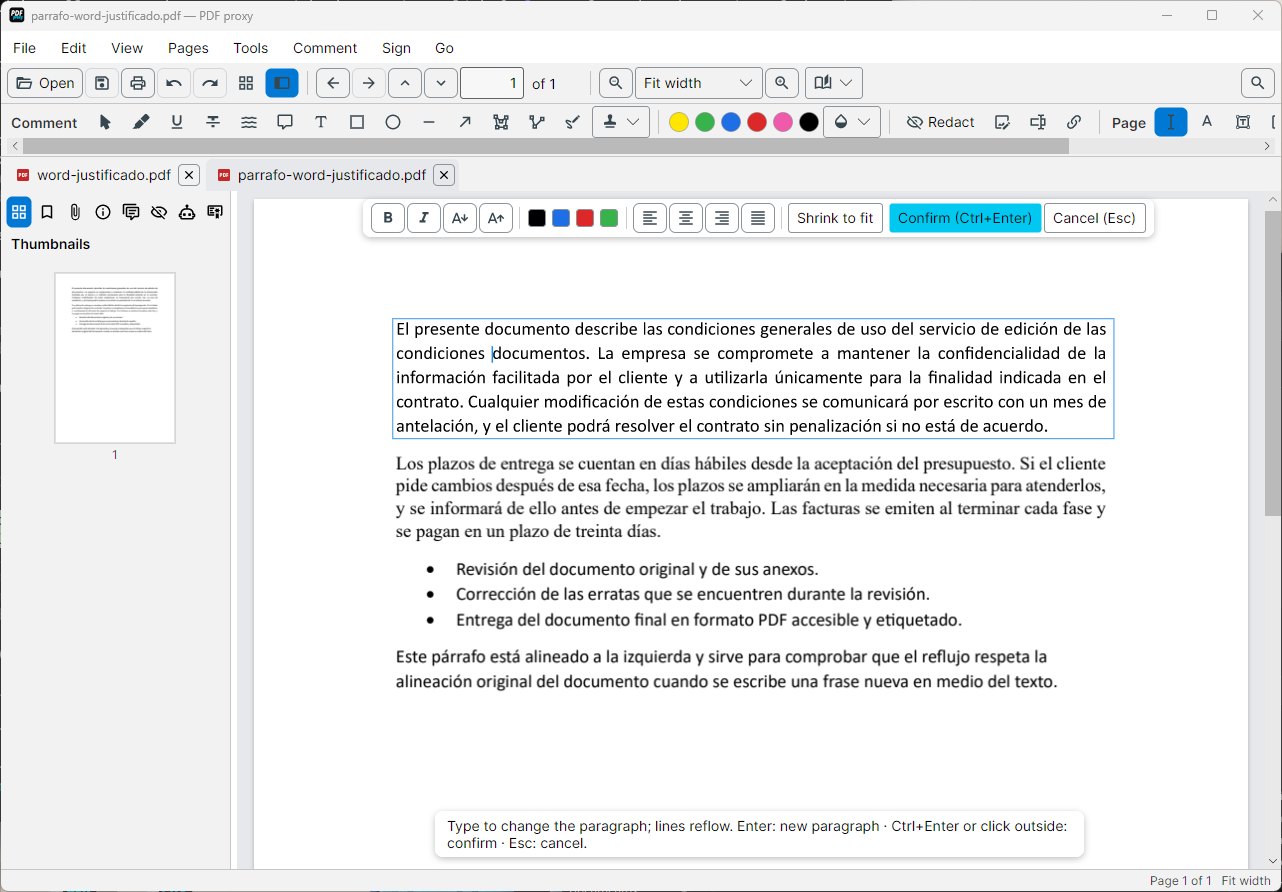
Edit the text for real

  • Paragraphs that reflow. Type and the lines rearrange themselves, keeping alignment, bullets and style.
  • The same font. The document's own font or, if it is missing letters, the closest one.
  • What you don't touch doesn't change. The rest of the page is kept exactly as it was.
Editing a paragraph
Pages

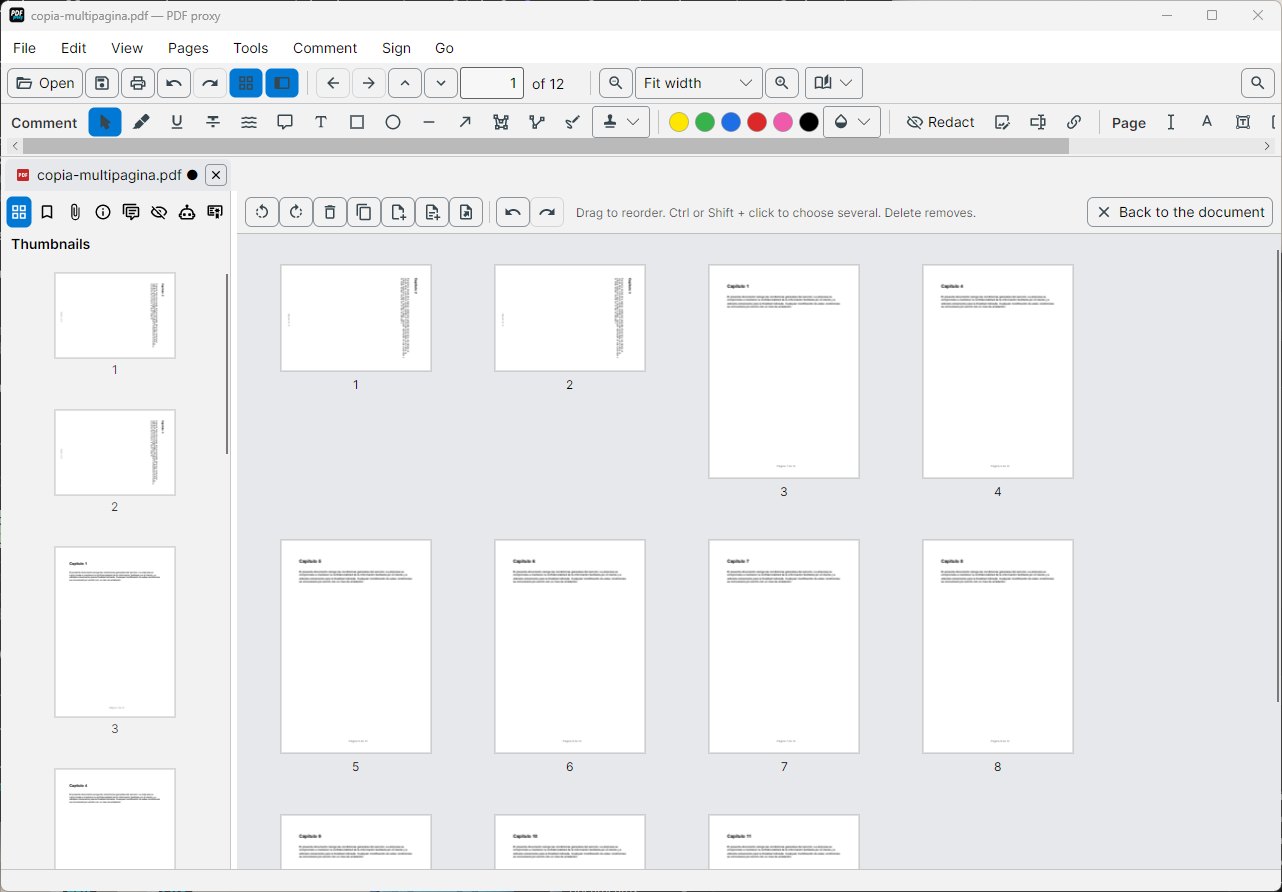
Organise pages and documents

  • Drag and drop. Reorder, rotate, duplicate or delete pages from their thumbnails.
  • Merge and split. Join several PDFs or split them by ranges or every few pages.
  • Compress and protect. Reduce the size, set a password and limit printing or copying.
  • Watermarks and numbers. Watermarks, stamps, page numbers and cropping.
Page organiser
Edit

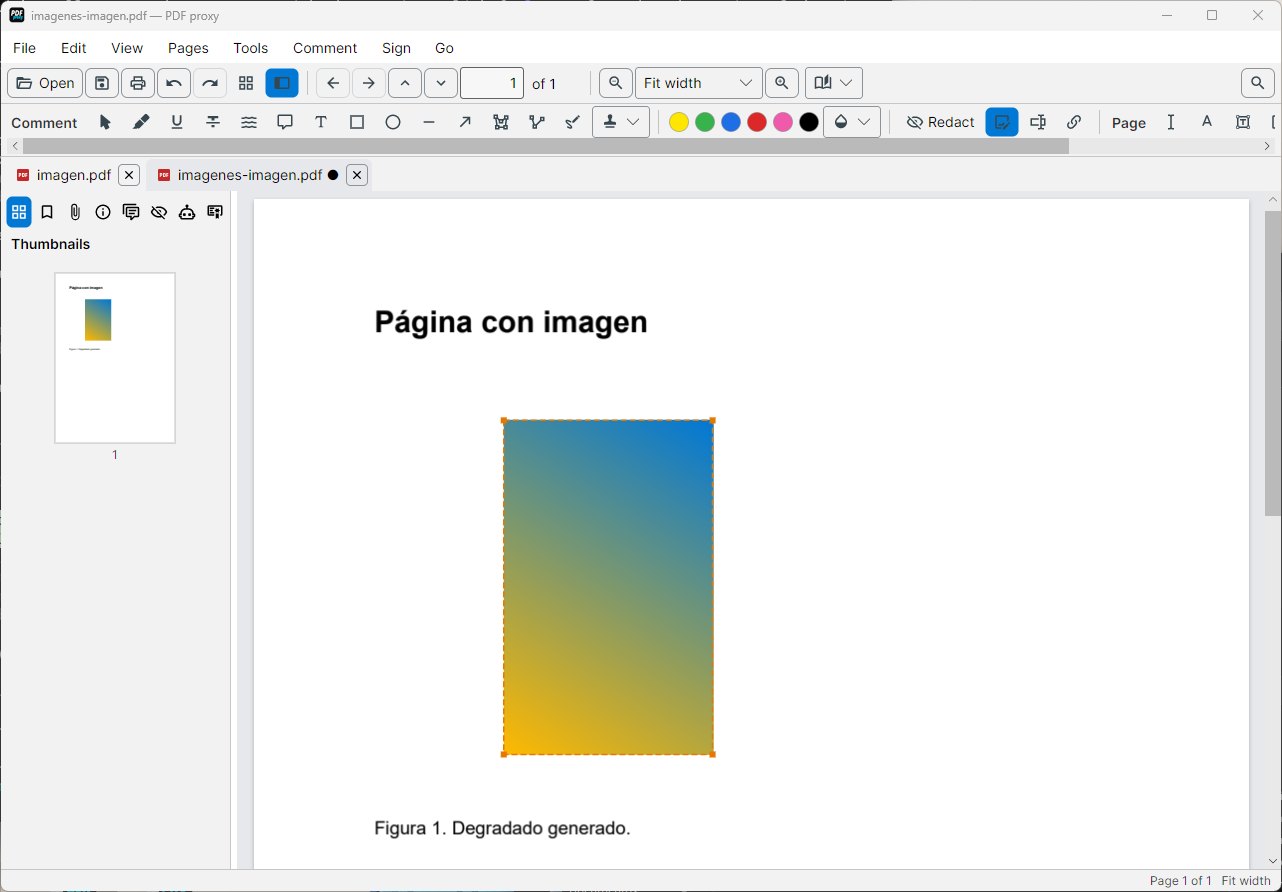
Images, links and bookmarks

  • Images. Move, rotate, crop, replace or save the images already in the PDF.
  • Links and bookmarks. Create and change links; bookmarks from the document's headings.
  • Attachments. Add or remove attached files.
Editing an image
Comment

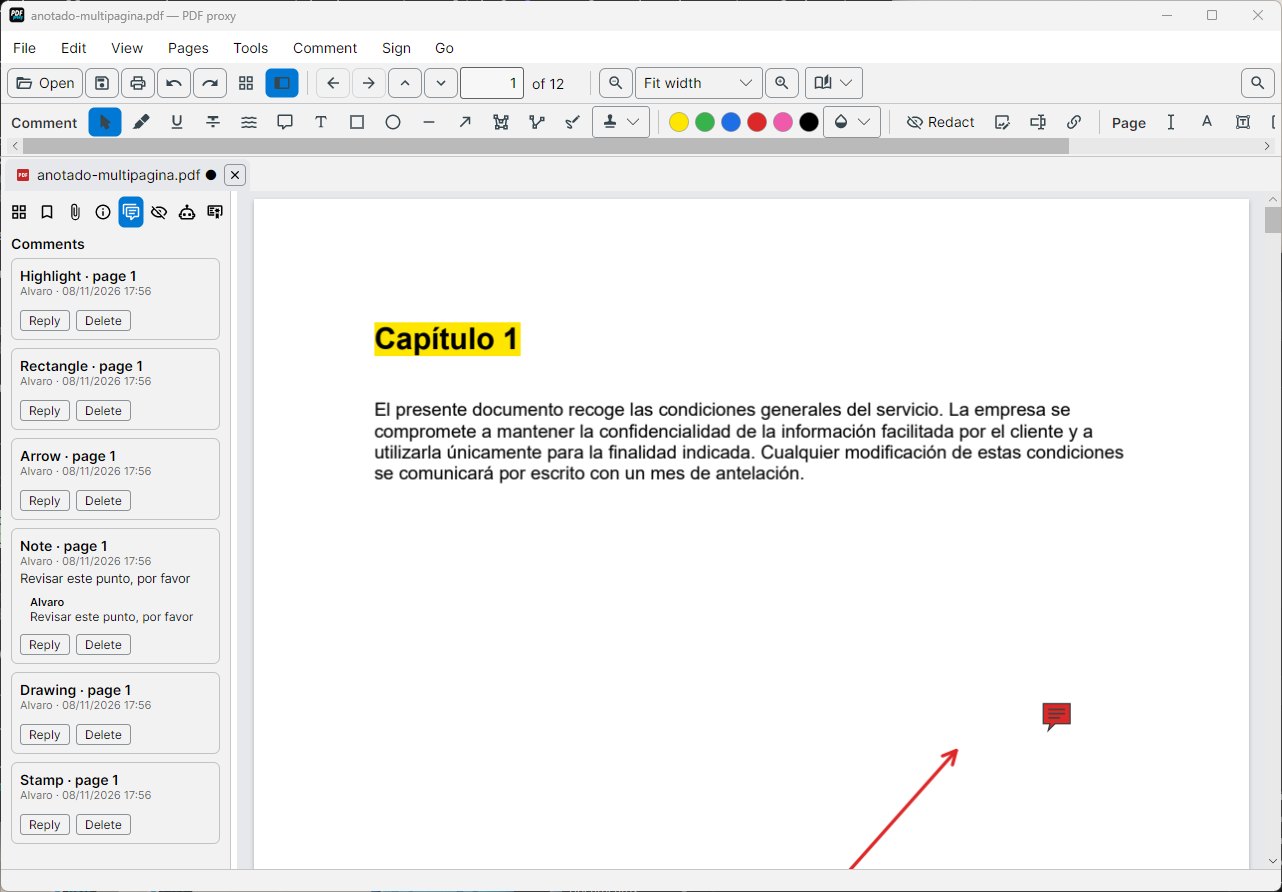
Annotate and review

  • Highlights, notes and shapes. Underline, strike out, arrows, rectangles, freehand drawing and stamps.
  • Comments with replies. A list of every comment to review as a team.
  • Seen in any reader. Standard PDF annotations: the recipient doesn't need PDF proxy.
Annotations and comments
Forms

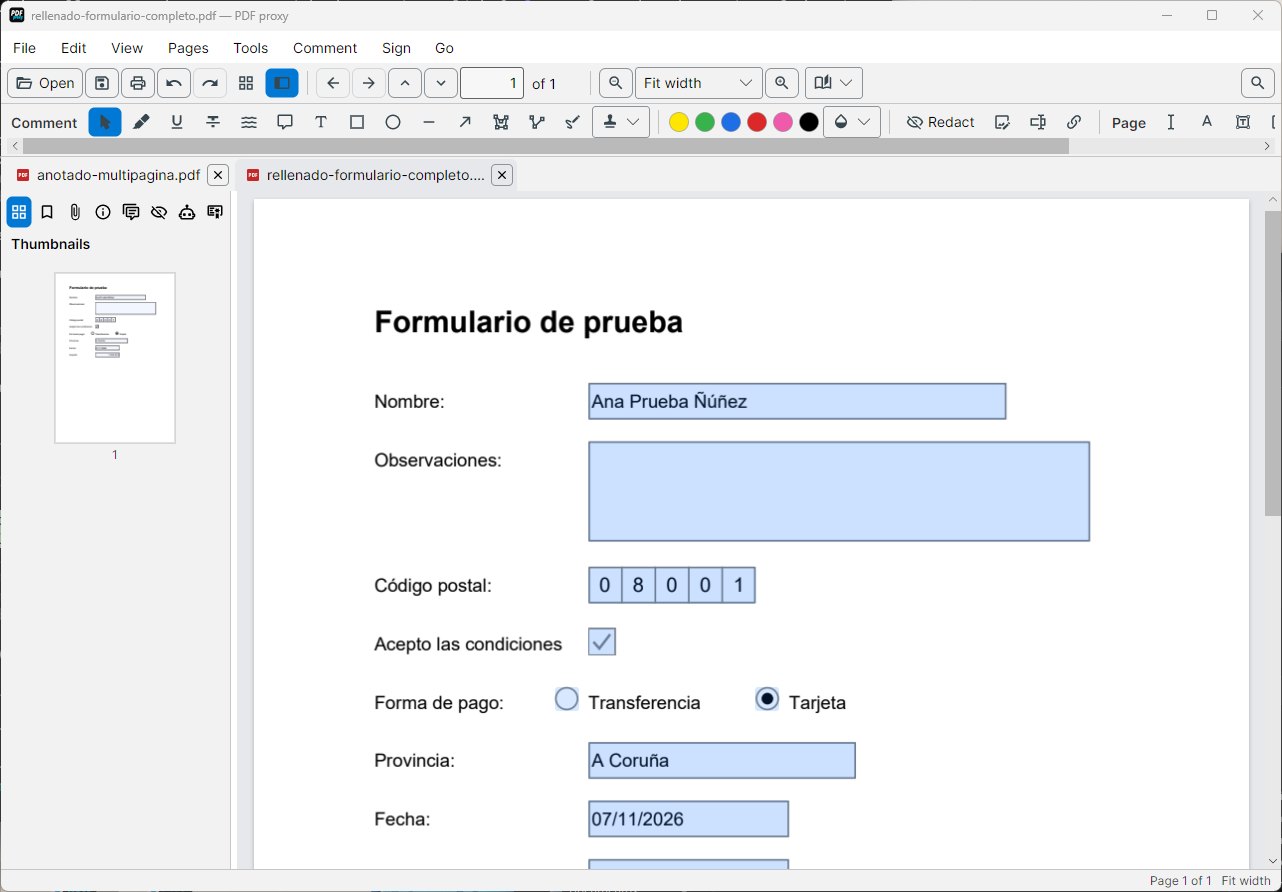
Fill in and create forms

  • Fill in. Dates, amounts and checkboxes are checked as you type: an impossible date is not accepted.
  • Create fields. Draw a box, choose the type and the name is proposed from the label next to it.
  • Sign in the field. Signature fields you create are signed with a certificate.
Filling in a form
Sign

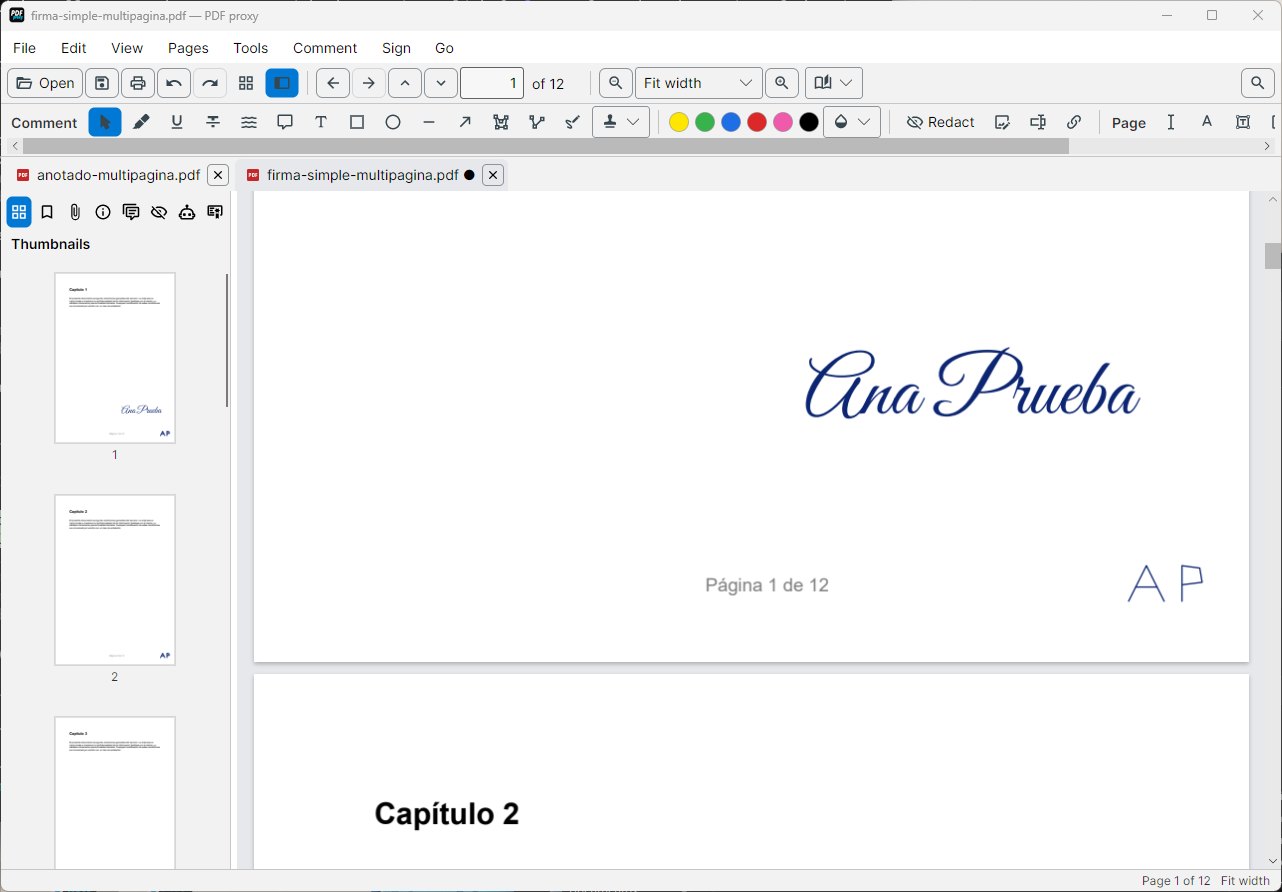
Sign and check signatures

  • Handwritten signature. Drawn with the mouse or a pen, or typed in a signature font.
  • Certificate signature. Advanced electronic signature (PAdES) with your digital certificate and an optional timestamp.
  • Check signatures. Who signed, whether the certificate is trusted and whether the document changed afterwards.
A handwritten signature
Local AI

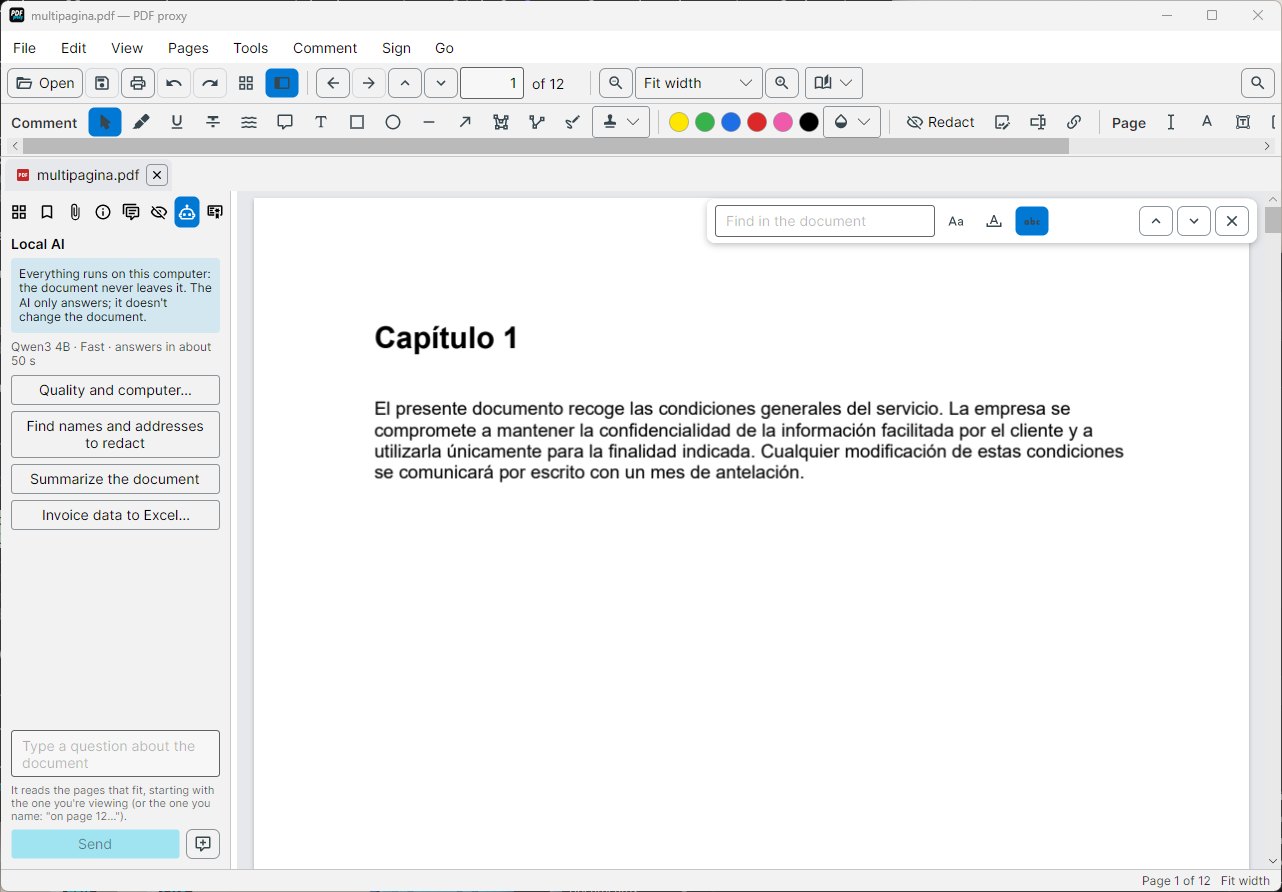
An AI that works inside your computer

  • Ask the document. Answers with the page each fact comes from.
  • Summarise and extract. Summaries, and an invoice's data to Excel.
  • Finds names to redact. Proposes the names and addresses that the rules can't find.
  • Offline. The model is downloaded once and adapts to your computer's memory.
Local AI panel
Convert

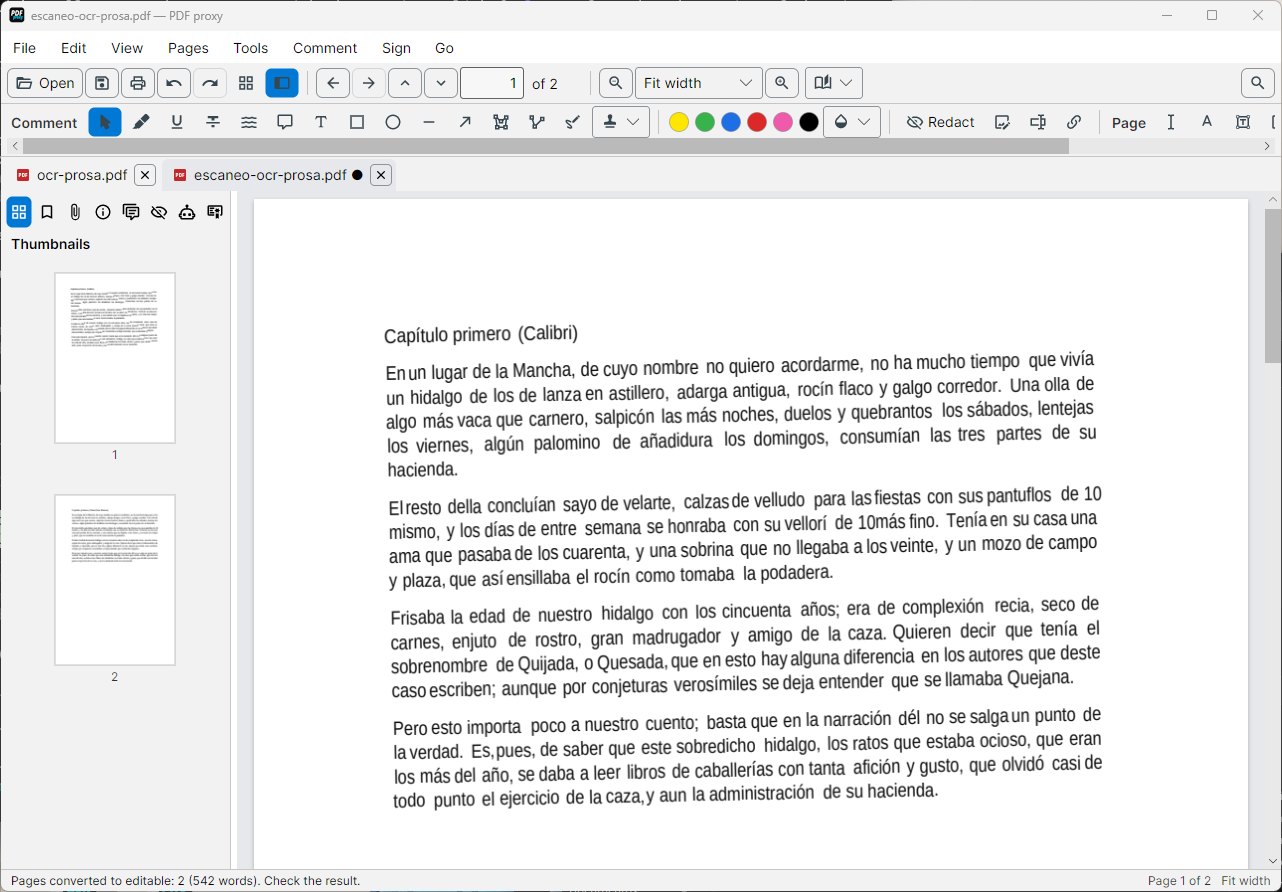
OCR, convert and compare

  • OCR. Scans become searchable or directly editable.
  • Export. To Word, Excel or Markdown keeping the layout, or to PDF/A for archiving.
  • Compare. Two versions word by word or pixel by pixel.
A scan turned into editable text

Personal data deserves its own page.

Redaction, pseudonymisation for cloud AIs and the audit log.

Coming soon to the Microsoft Store Personal data